
The quality of what you get from an AI assistant depends heavily on what you ask. A vague request produces a vague answer; a clear request with context, constraints and a defined format produces something far more useful. This guide explains how to write effective prompts for agile work, with a simple framework, before-and-after examples, a prompt library for Scrum Masters, Product Owners and Developers, and the data safety rules every prompt should follow.
Key takeaways
- A good prompt gives context, a clear task, constraints and the format you want.
- Iterate: refine the prompt based on the first answer.
- Ask for options, critiques and questions, not only answers.
- Never include confidential or personal information unless your tool is approved for it; use placeholders instead.
- Every output still needs checking by a person.
What is a prompt?
A prompt is the instruction or question you give an AI assistant. It can be a single sentence or several paragraphs with background information and examples. Because generative AI responds to exactly what it is given, small changes in a prompt can make a large difference to the result. For the wider picture of AI in Scrum Teams, see our complete guide to AI in Scrum.
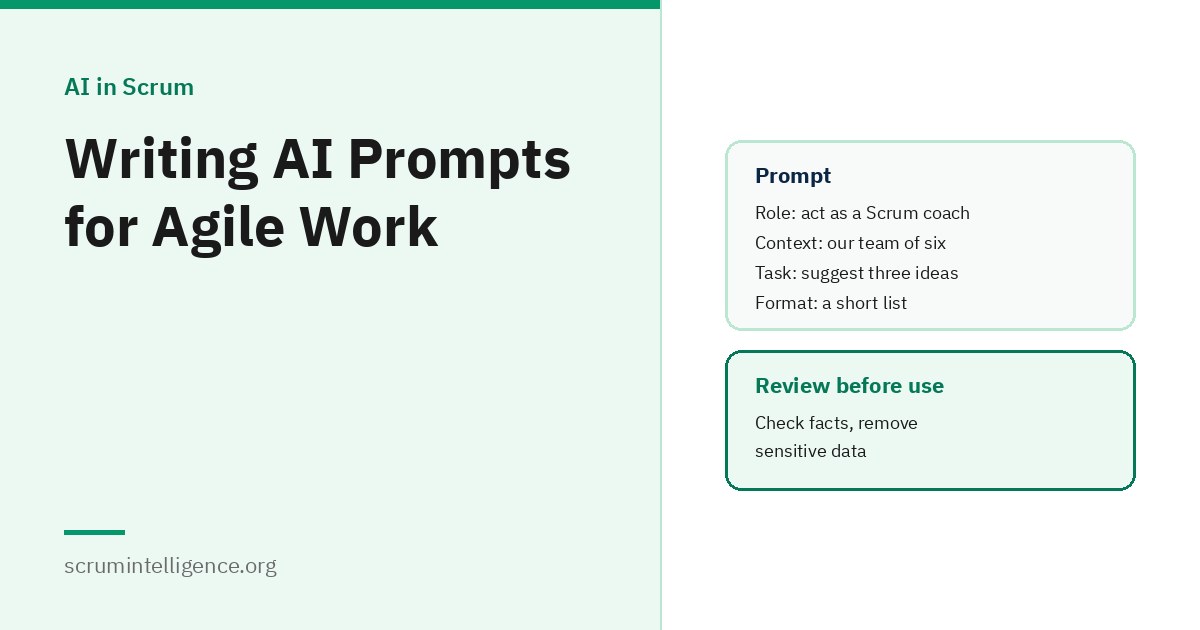
A simple framework: Context, Task, Constraints, Format
There is no single official standard for writing prompts. A simple framework that works well for agile work is to cover four things:
- Context: who you are, the situation and any background the tool needs. "I am a Scrum Master working with a team of six Developers who build a mobile banking app."
- Task: exactly what you want. "Suggest three Retrospective formats."
- Constraints: limits and requirements. "Each must fit in one hour and work online."
- Format: how you want the answer. "A short table with the format name, steps and when to use it."
Adding a relevant example of what good looks like often improves results further.
Weak and strong prompts
| Weak | Stronger |
|---|---|
| "Give me Retrospective ideas." | "I facilitate Retrospectives for a remote team of seven that recently missed a Sprint Goal due to unplanned work. Suggest three one-hour online formats that help the team discuss the cause without blame. Present them as a table." |
| "Write a user story for login." | "Write a user story for returning customers who want to sign in quickly on mobile, using the format 'As a..., I want..., so that...', with three testable acceptance criteria." |
| "Explain Scrum." | "Explain, in under 150 words and without jargon, why a Scrum Team avoids adding new work in the middle of a Sprint. The audience is a senior sales manager." |
| "Summarise this feedback." | "Group these anonymised customer comments into at most five themes. For each theme, give a short name, a count and one representative comment." |
Prompt library for Scrum Masters
- "Suggest a 90-minute workshop agenda to help a new team agree its first Definition of Done."
- "List ten open coaching questions to help a team reflect on why work keeps being carried over between Sprints. Do not give advice."
- "Group these anonymised Retrospective notes into no more than five themes with neutral names."
- "Draft a short, friendly invitation to a Sprint Review for stakeholders who have not attended before."
- "Write a spreadsheet formula to calculate the number of days between a start date in column B and a finish date in column C."
See how Scrum Masters can use AI for more.
Prompt library for Product Owners
- "Turn this idea into a user story with three acceptance criteria: [describe the idea without customer names]."
- "Suggest four ways to reduce drop-off during sign-up, with the main trade-off of each."
- "Group these anonymised support ticket summaries into themes with counts."
- "Rewrite these release notes for customers in plain language, under 200 words."
- "Suggest three possible Product Goals based on these notes, each as one sentence describing an outcome for customers."
See how Product Owners can use AI and how to write user stories.
Prompt library for Developers
- "Suggest unit tests for this function, including edge cases. [Paste code only if your tool is approved for it.]"
- "Explain what this code does in plain language for a new team member."
- "Review this change for readability and possible bugs, and list your concerns in order of importance."
- "Draft documentation for this module's public functions."
- "Suggest how to split this large Product Backlog item into smaller items that each deliver value on their own."
AI-assisted code must still pass the team's normal review and testing, and meet the Definition of Done.
Prompts for the whole team
- "Draft a working agreement for how our team uses AI tools, covering approved tools, data we never share, human review and transparency."
- "Suggest questions we could discuss to decide whether our AI experiment this Sprint was worth continuing."
Useful prompting techniques
- Ask for options: "Give three alternatives with pros and cons" encourages better thinking than asking for one answer.
- Ask it to question you: "Before answering, ask me any questions you need to give a good answer."
- Ask for a critique: "What are the weaknesses of this plan?"
- Give an example: showing one good backlog item helps the tool match your style.
- Break big tasks into steps: ask for an outline first, then expand each part.
- Set length and audience: "Under 100 words, for a non-technical reader."
- Iterate: refine the prompt rather than accepting a poor first answer.
Keeping prompts safe
What you put into a prompt may be stored or processed outside your organisation, depending on the tool. Follow these rules:
- Use approved tools only.
- Never include personal data such as names, emails or phone numbers of customers or colleagues, unless the tool is approved for it.
- Never include confidential business information, such as unreleased plans, pricing or contracts, unless the tool is approved for it.
- Use placeholders: replace real details with labels such as [Customer A] or [Product X].
- Be careful with code: check your organisation's policy before pasting source code.
Checking the output
- Does it answer what you actually asked?
- Are facts, figures and references correct and real?
- If it describes Scrum, does it match the Scrum Guide?
- Does a summary reflect the source material fairly?
- Would you be comfortable putting your name to it?
Sharing prompts across the team
Teams often build a small shared library of prompts that work well for them, stored in their wiki or documentation. It saves time, spreads good practice and makes it easier to keep prompts within the team's data rules. Review the library occasionally, since tools and needs change.
Prompt templates you can copy
Fill in the brackets, and remove anything sensitive first.
- Retrospective format: "I facilitate Retrospectives for a [remote or co-located] team of [number] that [describe the Sprint]. Suggest [number] formats that fit in [time]. Present them as a table with steps and when to use each."
- Backlog item: "Turn this need into a user story with [number] testable acceptance criteria: [describe the need without personal data]."
- Stakeholder explanation: "Explain [Scrum concept] in under [number] words for [audience], without jargon."
- Workshop plan: "Create a [length] workshop agenda to help [team] achieve [goal]. Include timings and one interactive activity per section."
- Critique: "Here is my plan: [plan]. List its three biggest weaknesses and how to address each."
A worked example: refining a prompt
As an illustration, a Product Owner wants help understanding feedback:
- First attempt: "Summarise this feedback." The result is a long paragraph that is hard to use.
- Second attempt: "Group this anonymised feedback into themes." The themes are useful, but there is no sense of how common each is.
- Third attempt: "Group this anonymised feedback into at most five themes. For each, give a short name, the number of comments and one representative quote. List the themes from most to least common." The result is short, clear and ready to discuss with the team.
Each step added context, constraints or format. That is the essence of good prompting.
Prompts for learning Scrum
- "Ask me ten questions about the Scrum events to test my understanding, one at a time, and explain each answer after I respond."
- "Explain the difference between the Sprint Goal and the Product Goal with a simple example."
- "Give me three realistic scenarios a new Scrum Master might face and ask me how I would respond."
Always check important answers against the Scrum Guide itself.
Prompts for refinement sessions
- "List the questions a development team would likely ask about this backlog item before starting work: [item]."
- "Suggest three ways to split this item so each part delivers value on its own: [item]."
- "What edge cases might these acceptance criteria miss? [criteria]"
These prompts are best used before refinement, so the Product Owner arrives better prepared. The conversation with the Developers remains the main event.
Custom instructions and saved settings
Many AI tools let you save standing instructions, such as your role, preferred tone or output format, so you do not repeat them in every prompt. This can save time and make answers more consistent. Keep saved instructions free of confidential or personal information, and review them occasionally, since they affect every answer you receive.
Prompts for Sprint Reviews
- "Turn this list of completed items into a short, plain-language summary for stakeholders, grouped by customer benefit."
- "Suggest five questions we could ask stakeholders at the Sprint Review to get useful feedback on these features."
- "Group this anonymised Sprint Review feedback into themes and highlight anything that could change our Product Backlog order."
When not to use a prompt at all
Some work is better done without AI: sensitive conversations, decisions that depend on trust, anything involving personal data you cannot remove, and situations where thinking it through yourself is the point, such as preparing to coach someone. A good rule is to ask whether using AI would save time without losing anything important. If not, skip it.
Common mistakes
- Being too vague: the tool has to guess what you mean.
- Leaving out context: the tool does not know your team, product or situation unless you say.
- Including sensitive data: the most serious mistake.
- Accepting the first answer: iterating usually improves results.
- Using AI output without checking: fluent does not mean correct.
Learn more
For AI in specific Scrum events, see using AI in Sprint Retrospectives. Scrum Master AI Plus and Product Owner AI Plus cover using AI in everyday Scrum and product work. Both include self-paced training and an online exam on ExamVault by CertExpert with three attempts included, and certificates and digital badges are valid for two years.
Frequently asked questions
What makes a good AI prompt?
Clear context, a specific task, any constraints and the format you want. Examples help too.
Is there an official prompt standard?
No. Frameworks such as Context, Task, Constraints and Format are practical guides, not official standards.
Can I paste customer data into a prompt?
Only if your organisation has approved the tool for that data. Otherwise, remove it or use placeholders.
How do I get better answers from AI?
Give more context, be specific, ask for options, and refine your prompt based on the first answer.
Should teams share prompts?
Yes. A shared prompt library saves time and helps everyone follow the team's data rules.
Can AI write user stories from a prompt?
It can draft them, but they should be discussed and refined with the team before planning.
Do I still need to check AI output?
Always. AI can produce fluent but wrong content.
What is a placeholder in a prompt?
A label, such as [Customer A], used instead of real sensitive details.