
User stories are one of the most popular ways to describe work in a Product Backlog. Written well, they keep the focus on the people a product serves and start useful conversations between the Product Owner and the Developers. Written badly, they become disguised task lists that nobody reads. This guide explains where user stories come from, how to write them, how to add acceptance criteria, and how to avoid the most common mistakes, with practical examples throughout.
Key takeaways
- User stories are not part of the Scrum Guide; they are a popular practice that many Scrum Teams use for Product Backlog items.
- The common format is "As a [type of user], I want [something] so that [benefit]."
- A story is a reminder for a conversation, not a full specification.
- Acceptance criteria describe when a specific story is complete; the Definition of Done applies to every item.
- The INVEST checklist is a useful test of whether a story is ready to work on.
What is a user story?
A user story is a short, simple description of something a user needs, written from that user's point of view. Its purpose is to capture who needs something, what they need and why, so that the team can discuss the best way to deliver it.
User stories come from Extreme Programming (XP), an Agile approach developed in the late 1990s. They were popularised further by Mike Cohn's 2004 book User Stories Applied. Today they are used by many Scrum Teams, but they are not part of Scrum itself. The Scrum Guide does not prescribe any format for Product Backlog items; it only says they should be clear and understood. User stories are simply one widely used way to achieve that.
For how stories fit into the wider Product Backlog, see how to manage a Product Backlog.
The user story format
The best-known template is:
As a [type of user], I want [something] so that [benefit].
This format is often called the Connextra format, after the UK company where it was first used in 2001. Each part has a job:
- As a: who benefits. Be specific: "a returning customer" is more useful than "a user".
- I want: what they need. Describe the need, not the technical solution.
- So that: why it matters. This is the most important part, and the one most often left out.
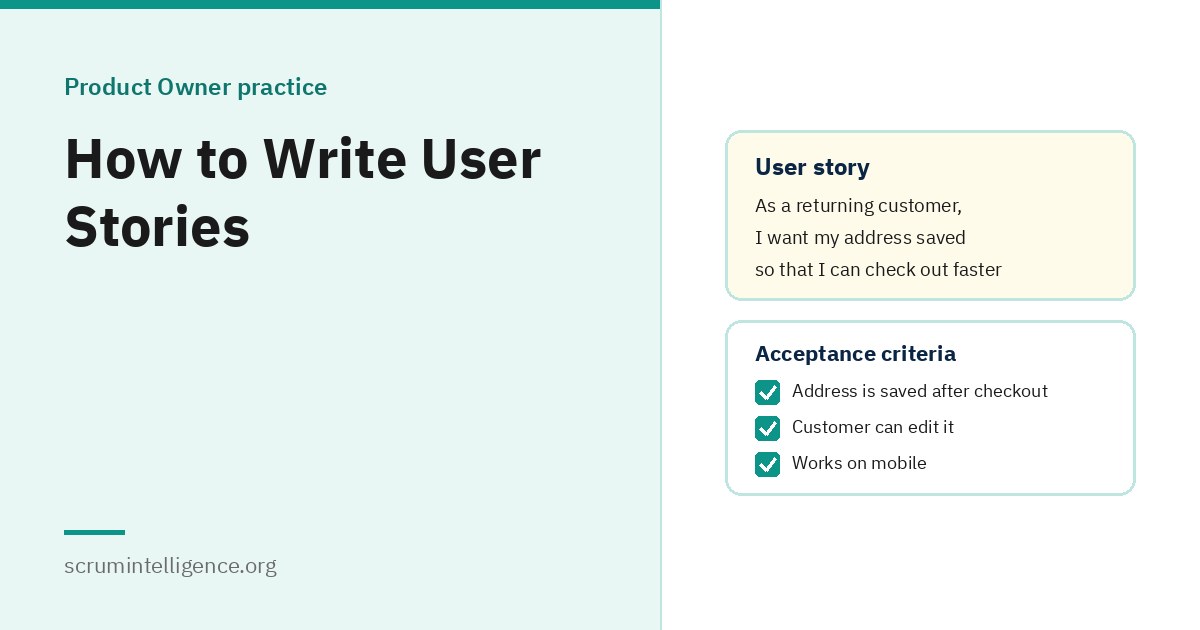
For example: "As a returning customer, I want my delivery address saved so that I can check out faster."
The 3 Cs: card, conversation, confirmation
Ron Jeffries, one of the creators of Extreme Programming, described user stories in terms of three Cs:
- Card: the story is written briefly, originally on an index card, as a reminder.
- Conversation: the details are worked out through discussion between the people who need the feature and the people who will build it.
- Confirmation: acceptance criteria confirm when the story has been delivered as intended.
The key idea is that a story is a placeholder for a conversation. If the team is trying to fit every detail into the story text, it has probably forgotten the conversation.
The INVEST checklist
Bill Wake proposed the INVEST acronym in 2003 as a check for good stories:
| Letter | Meaning | Question to ask |
|---|---|---|
| I | Independent | Can it be delivered without waiting for other stories? |
| N | Negotiable | Is there room to discuss how it is delivered? |
| V | Valuable | Does it deliver value to a user or customer? |
| E | Estimable | Do the Developers understand it well enough to size it? |
| S | Small | Can it be Done within one Sprint? |
| T | Testable | Can we tell when it is complete? |
Not every story will be perfect on every letter, but a story that fails several is usually not ready. The "Small" test connects directly to Scrum: the Scrum Guide says items that can be Done within one Sprint are ready for selection in Sprint Planning.
How to write a user story, step by step
- Start with a real user and a real problem. Use what you know from customer conversations, support tickets and data.
- Write the "so that" first. If you cannot explain the benefit, question whether the story is worth doing.
- Describe the need, not the solution. "I want to find past orders quickly" leaves room for the team; "I want a search box on the orders page" does not.
- Keep it short. One or two sentences. Details belong in the conversation and the acceptance criteria.
- Add acceptance criteria. Describe what must be true for the story to be complete.
- Discuss it with the Developers. Refinement is where the story becomes clear, small and sized.
- Split it if it is too big. See the splitting techniques below.
Acceptance criteria
Acceptance criteria are the conditions a story must meet to be considered complete. They make the "confirmation" part of the 3 Cs concrete and help everyone share the same understanding before work starts.
Checklist style
The simplest form is a short list:
- The delivery address is saved after the customer's first order.
- The saved address is filled in automatically at the next checkout.
- The customer can edit or delete the saved address.
Given-When-Then style
Some teams use the Given-When-Then format from behaviour-driven development (BDD), a practice introduced by Dan North. It describes a scenario:
- Given a customer has placed one order with a delivery address,
- when they start a new checkout,
- then their saved address is filled in automatically.
This format is especially useful when acceptance criteria are turned into automated tests.
Tips for good acceptance criteria
- Write them before the work starts, not after.
- Describe outcomes a user would notice, not implementation details.
- Keep them testable: each one should be clearly true or false.
- Keep the list short. Too many criteria often mean the story should be split.
Acceptance criteria vs Definition of Done
These are often confused:
| Acceptance criteria | Definition of Done | |
|---|---|---|
| Applies to | One specific story | Every item in the Increment |
| Part of Scrum? | No, a common practice | Yes, the commitment for the Increment |
| Describes | What this story must do | The quality standard all work must meet |
| Example | "The saved address can be edited" | "Code reviewed, tests passing, documentation updated" |
A story is only complete when it meets both its acceptance criteria and the Definition of Done. Our article on Scrum artifacts explains the Definition of Done.
User story examples
These examples are illustrations, written for this guide:
| Weak | Stronger |
|---|---|
| As a user, I want a login page. | As a returning customer, I want to sign in with my email so that I can see my previous orders. |
| Add export button. | As a finance manager, I want to export monthly expenses to a spreadsheet so that I can prepare reports without retyping data. |
| As a developer, I want to update the database. | As a customer, I want search results to appear in under two seconds so that I do not give up while waiting. |
| Improve notifications. | As a hotel guest, I want a reminder the day before arrival so that I do not forget my check-in time. |
| As an admin, I want everything to be configurable. | As a support agent, I want to reset a customer's password so that I can help them without waiting for IT. |
| Make the app better on mobile. | As a learner on the train, I want to download a lesson so that I can study without a signal. |
The stronger versions name a specific user, describe a need rather than a technical task, and explain the benefit.
How to split large stories
Large stories, sometimes called epics, need to be broken down before they can be Done within a Sprint. Mike Cohn describes a set of splitting patterns known as SPIDR:
- Spike: do a short piece of research first to remove uncertainty.
- Paths: split by different paths through a process, such as paying by card versus paying by bank transfer.
- Interfaces: deliver for one device or channel first.
- Data: support a subset of data first, such as one country's addresses.
- Rules: start with the simple rules and add complex business rules later.
A good split still delivers something a user can use. Splitting by technical layer, such as "database work" and "screen work", usually produces pieces that deliver no value on their own.
Epics, themes and story mapping
Teams often organise stories into larger groups:
- Epic: a large story that will be split into smaller ones.
- Theme: a collection of related stories, such as everything to do with payments.
Story mapping, a technique described by Jeff Patton, arranges stories along the steps of a user's journey, with the most essential stories at the top. It helps teams see the whole experience and decide what the smallest valuable release could be. None of these terms are part of the Scrum Guide, but they can help a Product Owner keep a large backlog understandable.
Job stories: an alternative format
Some teams prefer job stories, a format popularised by the company Intercom and based on the "jobs to be done" idea. Instead of focusing on a type of user, a job story focuses on the situation:
When [situation], I want to [motivation], so I can [expected outcome].
For example: "When I am about to leave for the airport, I want to check whether my flight is delayed, so I can decide when to leave home." Job stories are useful when the situation matters more than who the user is.
Technical work and user stories
Not every backlog item fits the user story format. Upgrading a library or improving a build pipeline has no obvious user. Forcing these into "As a developer, I want…" rarely helps. It is usually clearer to describe technical items plainly and explain their value, for example: "Upgrade the payment library before the supplier stops supporting the current version, to avoid failed payments." The Product Backlog is the single source of work, so technical items still belong there and are ordered alongside everything else.
User stories outside software
The format works for any team with users or customers. A marketing team might write: "As a small business owner, I want a one-page guide to our pricing so that I can compare plans quickly." An HR team might write: "As a new employee, I want my laptop ready on my first day so that I can start working immediately."
A complete worked example
As an illustration, imagine a hotel booking app. The Product Owner starts with a large item, an epic: "As a guest, I want to manage my stay in the app so that I do not need to call the hotel." That is far too big for one Sprint, so the team splits it into smaller stories:
Story 1: See booking details
As a guest, I want to see my booking details in the app so that I can check my dates and room type at any time.
- The booking shows dates, room type, number of guests and total price.
- The details match the confirmation email.
- The page works on both phone and tablet screens.
Story 2: Change check-in time
As a guest, I want to change my expected check-in time so that the hotel knows when I will arrive.
- The guest can choose a time within the hotel's check-in hours.
- The hotel receives the updated time.
- The guest sees a confirmation after saving.
Story 3: Arrival reminder
As a guest, I want a reminder the day before arrival so that I do not forget my check-in time.
- Given a guest has a booking starting tomorrow, when it is 10am local time, then they receive a reminder with the hotel address and check-in time.
Story 4: Request late check-out
As a guest, I want to request a late check-out so that I can plan my last day without calling reception.
- The guest can send a request with a preferred time.
- The guest is told the request is pending until the hotel confirms.
Each story is small, delivers something a guest can use, and can be ordered independently. The Product Owner might order Story 2 first if data shows check-in questions are the most common reason guests call.
Running a story-writing workshop
When a team starts a new Product Goal, a short workshop can produce a useful first set of stories:
- Explain the goal: the Product Owner describes the Product Goal and who it serves.
- Map the journey: list the steps a user goes through, from start to finish.
- Write stories silently: everyone writes stories for each step on separate notes.
- Group and remove duplicates: cluster similar stories together.
- Find the smallest valuable slice: choose the stories that together would give users something useful soonest.
- Hand over to refinement: the Product Owner orders the stories, and the team refines the top ones.
Estimating user stories
The Scrum Guide states that the Developers who will do the work are responsible for sizing it. Many teams size stories with story points, a relative measure of effort and complexity, often using Planning Poker so that differences in understanding come out early. When Developers give very different sizes for the same story, that is usually a sign the story needs more conversation, not an averaged number. Our guide to managing a Product Backlog covers sizing in more detail.
User stories and AI tools
AI tools can help draft first versions of stories or suggest acceptance criteria from notes. They can speed up writing, but they cannot replace the conversation with users and Developers that makes a story useful. Treat AI drafts as a starting point for discussion, and check that each story still reflects a real user need and a clear benefit.
Who writes user stories?
Anyone can write a user story. The Product Owner is accountable for Product Backlog items being clear and understood, but the Scrum Guide notes they may delegate the work. In practice, stories are often drafted by the Product Owner, a business analyst or the Developers, and then refined together. What matters is that the Product Owner agrees with the story's value and its place in the order. See what does a Product Owner do? for more on delegation.
Common mistakes
- Missing the "so that". Without the benefit, the team cannot make good trade-offs.
- Writing tasks as stories. "As a developer, I want to create a table" is a task, not a user need.
- Too much detail up front. Long specifications replace the conversation the story is meant to start.
- Stories too big for a Sprint. Split them until they can be Done within one Sprint.
- Vague users. "As a user" hides who actually benefits.
- Acceptance criteria written after the work. They should guide the work, not document it.
- Using the format for everything. Some items are clearer written plainly.
Learn more
Writing clear backlog items is a core Product Owner skill. Our complete Product Owner guide covers the whole role, and Product Goal and Sprint Goal explained shows how stories connect to goals. Product Owner Plus (Associate) covers product vision, backlog management and stakeholder alignment; the exam is taken online on ExamVault by CertExpert with three attempts included, and the certificate and digital badge are valid for two years.
Frequently asked questions
Are user stories part of Scrum?
No. The Scrum Guide does not prescribe a format for Product Backlog items. User stories are a popular practice that many Scrum Teams use.
What is the user story format?
The most common format is "As a [type of user], I want [something] so that [benefit]."
Who writes user stories in Scrum?
Anyone can draft them, but the Product Owner is accountable for Product Backlog items being clear and understood.
What are acceptance criteria?
Conditions a specific story must meet to be considered complete. They are often written as a checklist or in Given-When-Then form.
What is the difference between acceptance criteria and the Definition of Done?
Acceptance criteria apply to one story; the Definition of Done applies to every item in the Increment.
What does INVEST stand for?
Independent, Negotiable, Valuable, Estimable, Small and Testable.
How big should a user story be?
Small enough to be Done within one Sprint, and ideally much smaller, so the team can finish several in a Sprint.
What is an epic?
A large story that needs to be split into smaller stories before the team can work on it.