
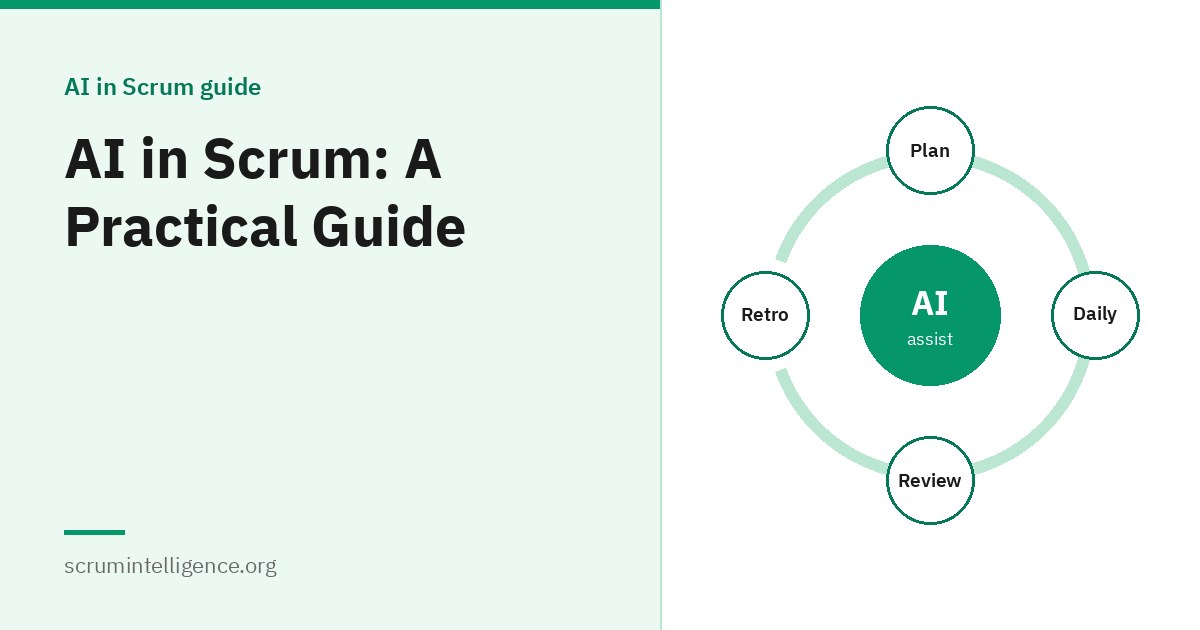
AI tools are quickly becoming part of everyday work, and Scrum Teams are no exception. They can help draft backlog items, summarise feedback, prepare Retrospectives and speed up routine tasks. They can also produce confident-sounding mistakes, leak confidential information and tempt teams to replace conversations with shortcuts. This guide explains where AI genuinely helps a Scrum Team, what it should not do, the risks to manage and how to adopt it in a way that fits Scrum's own principles.
Key takeaways
- The Scrum Guide does not mention AI, and AI does not change Scrum's accountabilities: people remain accountable for decisions and outcomes.
- AI is most useful for preparation, summarising and drafting, not for making product or team decisions.
- Every AI output should be reviewed by a person before it is used.
- Protect confidential and personal data, and use only tools your organisation has approved.
- Adopt AI empirically: try small experiments, inspect the results and adapt.
What we mean by AI in Scrum
In this guide, AI mainly means generative AI assistants: tools that can write, summarise, answer questions and help with code based on a prompt. The same principles also apply to other AI-based features appearing in backlog, analytics and development tools.
What the Scrum Guide says, and does not say
The Scrum Guide, last updated in November 2020, does not mention AI. It does not need to. Scrum defines accountabilities, events, artifacts and commitments, and it leaves the choice of tools and practices to the Scrum Team. Several parts of Scrum are directly relevant to how AI should be used:
- Accountability stays with people. The Product Owner remains accountable for maximising value and managing the Product Backlog; the Developers for creating a usable Increment; the Scrum Master for the team's effectiveness.
- Empiricism applies. Scrum is based on transparency, inspection and adaptation. Using AI is a change to how the team works, so it should be inspected and adapted like any other.
- The Definition of Done still governs quality. Work produced with AI help must meet the same standard as any other work.
For the foundations, see our complete Scrum Master guide.
Where AI helps in each Scrum event
Sprint Planning
- Summarising stakeholder feedback from the last Sprint Review before planning
- Helping the Product Owner draft a proposal for how the Sprint could add value
- Suggesting ways to split large Product Backlog items for discussion
The Sprint Goal and the selection of work remain decisions for the Scrum Team.
Daily Scrum
The Daily Scrum is a short conversation between Developers, and it rarely needs AI. Some teams use AI features in their tools to flag items that have been in progress for a long time, which can be a useful prompt for discussion.
Sprint Review
- Preparing a clear summary of what was done for stakeholders
- Grouping and summarising feedback after the event
Sprint Retrospective
- Grouping notes into themes
- Summarising patterns across several Retrospectives
- Suggesting formats to try
The honest conversation remains human. See how to run a Sprint Retrospective.
Product Backlog refinement
- Drafting first versions of backlog items and acceptance criteria for discussion
- Spotting unclear or duplicated items
- Summarising customer research and support tickets
See how to write user stories and how to manage a Product Backlog.
How each accountability can use AI
Scrum Masters
See how Scrum Masters can use AI for practical examples.
Preparing workshops and Retrospectives, summarising recurring impediments, drafting explanations of Scrum for stakeholders and exploring coaching questions. The coaching relationship itself stays human.
Product Owners
See how Product Owners can use AI for practical examples.
Analysing large volumes of customer feedback, drafting backlog items, exploring options and summarising research. Decisions about value and order stay with the Product Owner.
Developers
Many Developers use AI coding assistants to draft code, tests and documentation. Human review remains essential, and many teams add review of AI-assisted work to their Definition of Done.
What AI should not do
- Make product decisions. Ordering the Product Backlog is the Product Owner's accountability.
- Replace conversations. Scrum depends on people talking to each other and to customers.
- Judge individuals. Using AI to rate people's performance damages trust and psychological safety.
- Run Scrum events. Events are for the Scrum Team to inspect and adapt together.
- Be trusted without checking. AI can be wrong in ways that sound convincing.
Risks to manage
Accuracy
Generative AI can produce content that is fluent and plausible but wrong, including invented facts or references. Every output needs checking by someone who understands the subject.
Confidentiality and personal data
Text entered into an AI tool may be stored or processed outside your organisation, depending on the tool and its settings. Do not paste confidential business information, customer data or personal information into tools your organisation has not approved for that purpose.
Bias
AI systems can reflect biases in the data they learned from. Be especially careful where outputs affect people, such as summarising feedback about team members.
Over-reliance
If a team relies on AI for thinking it should do itself, skills and shared understanding can weaken. Use AI to support thinking, not replace it.
Security and quality of AI-assisted code
AI-generated code can contain bugs or security weaknesses. It should go through the same review and testing as any other code.
Regulation and policy
Rules on AI are developing. For example, the European Union's AI Act entered into force in 2024, with obligations applying in stages. Organisations should follow their own AI policies and relevant laws for their location and sector.
Guardrails for Scrum Teams
For a deeper look at risks and safeguards, see responsible AI use in agile teams.
Many teams create a simple working agreement for AI use. As an example:
- We use only AI tools approved by our organisation.
- We never enter customer data, personal data or confidential information into AI tools unless the tool is approved for it.
- A person reviews every AI output before it is shared or used.
- We say when content was drafted with AI help.
- Decisions about priorities, design and people are made by the team, not by AI.
Some teams also update their Definition of Done, for example: "AI-assisted code and content has been reviewed by a team member." See Scrum artifacts explained for more on the Definition of Done.
Adopting AI the Scrum way
Rather than introducing AI everywhere at once, treat it as an experiment:
- Pick one problem. For example, summarising stakeholder feedback takes too long.
- Agree a small experiment for one or two Sprints, within your guardrails.
- Inspect in the Retrospective. Did it save time? Was the output accurate? Did anything go wrong?
- Adapt. Keep, change or drop the practice based on evidence.
This keeps AI adoption transparent and grounded in real results rather than hype.
Measuring the impact
Be cautious about claims that AI dramatically increases productivity; results vary widely between teams and tasks. Useful measures include:
- Time spent on specific tasks before and after, such as preparing a Sprint Review
- Flow measures such as cycle time; see Kanban metrics explained
- Quality: defects found, rework and review comments
- Team feedback on whether the tools help or distract
A worked example: a team's first AI experiment
As an illustration, a Scrum Team notices that its Product Owner spends several hours after each Sprint Review turning stakeholder notes into backlog updates. The team agrees a two-Sprint experiment:
- The experiment: after each Sprint Review, the Product Owner uses the organisation's approved AI assistant to group the feedback into themes and draft possible backlog items.
- The guardrails: no customer names or personal data go into the tool; the Product Owner reviews every draft; nothing enters the Product Backlog without discussion at refinement.
- The inspection: at the Retrospective, the team looks at time saved, whether the drafts were accurate and whether anything important was lost.
- The result: the grouping saved time, but some drafts misread the feedback. The team keeps the practice, adds a rule that the Product Owner checks every theme against the original notes, and decides to try the approach for Retrospective notes next.
The value came as much from the inspection as from the tool.
AI and the Scrum values
The Scrum Guide describes five values: commitment, focus, openness, respect and courage. They offer a useful lens for AI use:
- Commitment: the team stays committed to its goals and to quality, not to using AI for its own sake.
- Focus: AI should reduce distraction and routine work, not add new tools to manage.
- Openness: the team is open about when and how AI was used, and about its mistakes.
- Respect: AI use respects colleagues, customers and their data.
- Courage: team members feel able to question AI output, and to say when a tool is not helping.
Being transparent with stakeholders
Transparency is one of Scrum's three pillars. If AI helped draft a summary, a forecast explanation or documentation shared with stakeholders, say so. It builds trust, sets the right expectations about accuracy and invites stakeholders to flag anything that looks wrong.
AI in distributed teams
Distributed teams often use AI features for meeting summaries and written updates across time zones. These can help people catch up, but they can also miss nuance or misrepresent what was said. Treat summaries as a starting point, let participants correct them, and keep important decisions recorded by the team itself.
Questions to ask before choosing an AI tool
- Has our organisation approved it, and for what kinds of data?
- How does the tool store and use what we enter, and can this be controlled?
- Does it meet our security and compliance requirements?
- Does it integrate with the tools we already use, or add another place to look?
- Can administrators manage access and settings?
- What does it cost, and is the benefit worth it for our team?
What AI may mean for Scrum roles
It is too early to say exactly how AI will change Scrum roles, and confident predictions should be treated with caution. What seems likely is a shift in how time is spent: less on routine preparation, drafting and summarising, and relatively more on the parts of each role that depend on judgement and relationships, such as understanding customers, making trade-offs, coaching and facilitating difficult conversations. Those human parts are also where Scrum's accountabilities sit.
Skills for working well with AI
- Clear prompting: giving the tool the context, task and format it needs.
- Critical evaluation: checking outputs against sources and your own knowledge.
- Data awareness: knowing what information must not be shared.
- Knowing when not to use AI: recognising tasks where a conversation or careful thought is better.
AI across the Scrum artifacts
Product Backlog
AI can help draft items, spot duplicates, suggest ways to split large items and summarise the research behind them. The Product Owner remains accountable for the Product Backlog, including its content and order, and items should still be discussed with the Developers during refinement.
Sprint Backlog
The Sprint Backlog is a plan by and for the Developers. AI can suggest how an item might be broken into tasks, but the Developers decide how to do the work and keep the plan current as they learn.
Increment
AI may help produce code, tests or documentation that becomes part of the Increment. The Increment must still meet the Definition of Done, whatever tools were used. Teams using AI heavily often make human review and testing of AI-assisted work an explicit part of their Definition of Done.
What a good organisational AI policy covers
Teams work best with AI when the organisation provides clear guidance. A useful policy usually covers:
- Which tools are approved, and for what purposes
- What kinds of data may and may not be entered
- Expectations for human review and accountability
- How AI use should be disclosed internally and to customers
- Security requirements, especially for AI-assisted code
- Who to contact with questions or concerns
If there is no policy yet, a Scrum Master can raise this as an organisational impediment.
Common concerns from team members
"Will AI replace my job?"
Nobody can predict the future with certainty. What is clear today is that AI changes some tasks rather than removing the need for people who understand customers, make trade-offs, build working products and work well together. Honest conversations about how work is changing are better than reassurance that may not hold.
"Will AI be used to watch us?"
It should not be. Using AI to monitor or rate individuals undermines trust and self-management. Teams and leaders should agree clearly that AI supports the work, not surveillance of people.
"Will quality suffer?"
It can, if outputs are used without checking. The Definition of Done and human review are the safeguards.
Signs AI use is helping, or hurting
- Helping: routine preparation takes less time, and the team spends more time talking with customers and each other.
- Helping: quality holds steady or improves, and the team can explain how outputs were checked.
- Hurting: discussions get shorter because "the AI already wrote it".
- Hurting: errors reach stakeholders because outputs were not reviewed.
- Hurting: people are unsure what data is safe to share.
AI and forecasting: a caution
Stakeholders often ask when work will be done, and it can be tempting to ask an AI tool. A general-purpose assistant does not know your team's capacity, history or the uncertainty in your work, so any date it suggests is a guess. Forecasts are far more reliable when based on the team's own delivery data, such as throughput and cycle time, ideally expressed as a probability. AI can help with the mechanics, such as writing a spreadsheet formula or explaining a Monte Carlo simulation, but the forecast should rest on real data. See Kanban metrics explained.
A getting-started checklist for teams
- Check your organisation's AI policy and approved tools.
- Agree as a team what data must never go into AI tools.
- Write a short working agreement for AI use.
- Decide whether to add human review of AI-assisted work to your Definition of Done.
- Choose one real problem for a first experiment.
- Agree how you will judge the experiment at the Retrospective.
Common mistakes
- Copying AI output straight into the Product Backlog without discussion.
- Using unapproved tools with confidential data.
- Letting AI replace the conversation in refinement or Retrospectives.
- Using AI to monitor individuals, which erodes trust.
- Adopting everything at once rather than experimenting.
Learn more and get certified
Scrum Intelligence offers two certifications focused on AI in Scrum. Scrum Master AI Plus covers using AI tools in everyday Scrum Master work, and Product Owner AI Plus covers using AI in product work. Both include self-paced training and an online exam on ExamVault by CertExpert with three attempts included, and the certificate and digital badge are valid for two years. See the certification pages for current learning paths and prices. For the roles themselves, read our complete Product Owner guide.
Frequently asked questions
Does the Scrum Guide mention AI?
No. The Scrum Guide leaves tools and practices to the Scrum Team. Its accountabilities, events and artifacts apply whether or not a team uses AI.
Can AI replace a Scrum Master or Product Owner?
No. AI can help with preparation and drafting, but the accountabilities, decisions and human relationships at the heart of these roles remain with people.
How can Scrum Teams use AI safely?
Use approved tools, protect confidential and personal data, review every output, be transparent about AI use and keep decisions with the team.
Should AI-generated work meet the Definition of Done?
Yes. It must meet the same Definition of Done as any other work, and many teams add explicit human review for AI-assisted work.
Can AI write user stories?
It can draft them, but they should be discussed and refined with the team. The Product Owner remains accountable for Product Backlog items.
Is it safe to paste customer data into AI tools?
Only into tools your organisation has approved for that kind of data. Otherwise, do not.
How should a team start using AI?
Choose one problem, run a small experiment within agreed guardrails and inspect the results in the Retrospective.
Does AI make Scrum Teams more productive?
It can help with specific tasks, but results vary. Measure the effect on your own team rather than relying on general claims.