
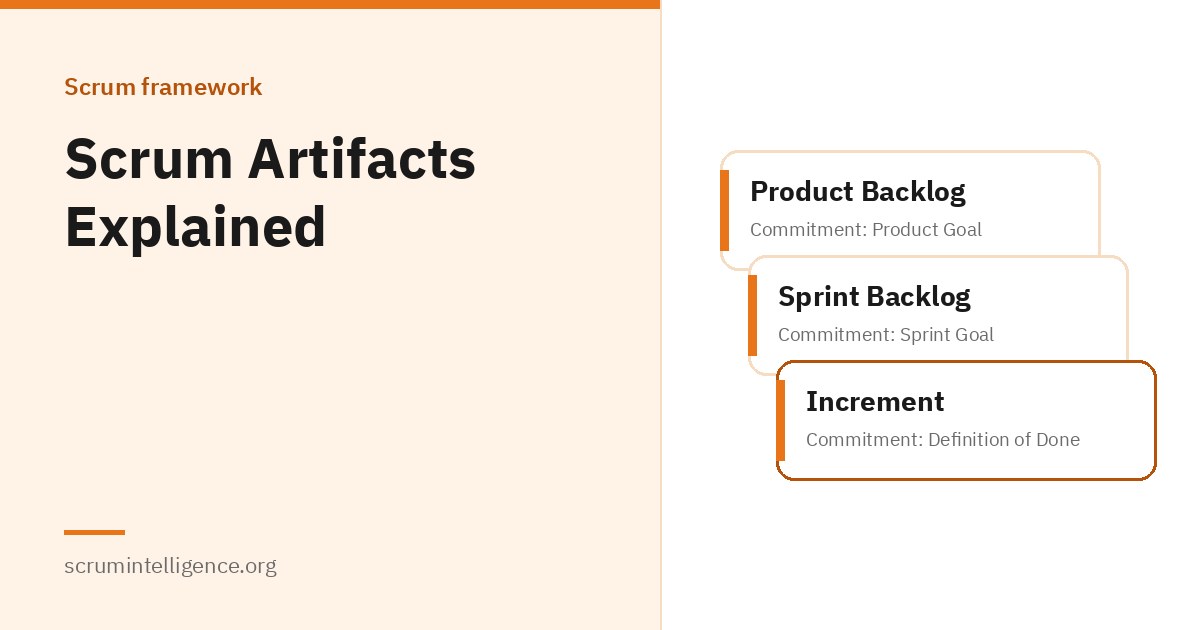
Scrum has three artifacts: the Product Backlog, the Sprint Backlog and the Increment. They are simple ideas, but teams that misunderstand them run into the same problems again and again: unclear priorities, overloaded Sprints and work that is "almost done" for weeks. This guide explains each artifact and its commitment, based on the Scrum Guide, with practical examples of how they work in real teams.
Key takeaways
- Scrum has three artifacts: the Product Backlog, the Sprint Backlog and the Increment.
- Each artifact has a commitment: the Product Goal, the Sprint Goal and the Definition of Done.
- The Product Owner is accountable for the Product Backlog; the Sprint Backlog belongs to the Developers.
- Work only becomes part of an Increment when it meets the Definition of Done.
- The artifacts exist to make key information transparent, so the team and stakeholders can inspect and adapt.
What are Scrum artifacts?
In Scrum, an artifact represents work or value. The Scrum Guide explains that the artifacts are designed to maximise transparency of key information, so that everyone inspecting them has the same basis for adaptation. If an artifact is not transparent, decisions based on it may be wrong, value may drop and risk may rise.
The 2020 edition of the Scrum Guide added something new: a commitment for each artifact. According to the guide, each commitment exists to ensure the artifact provides information that improves transparency and focus, and against which progress can be measured. The three commitments give the team something concrete to aim for at every level: the whole product, the current Sprint and the quality of each Increment.
New to Scrum? Our complete Scrum Master guide gives an overview of the whole framework, and the five Scrum events explained covers the events in which the artifacts are created and inspected.
The three artifacts at a glance
| Artifact | What it is | Commitment | Who is responsible |
|---|---|---|---|
| Product Backlog | An ordered list of what is needed to improve the product | Product Goal | Product Owner is accountable for managing it |
| Sprint Backlog | The Sprint Goal, the selected items and the plan for delivering them | Sprint Goal | Developers |
| Increment | A usable step toward the Product Goal | Definition of Done | The whole Scrum Team |
The Product Backlog
The Scrum Guide describes the Product Backlog as an emergent, ordered list of what is needed to improve the product. It is the single source of work undertaken by the Scrum Team. "Emergent" means it is never finished: items are added, removed, split and reordered as the team and stakeholders learn more.
Who is responsible for the Product Backlog?
The Product Owner is accountable for effective Product Backlog management. According to the Scrum Guide, this includes developing and clearly communicating the Product Goal, creating and clearly communicating Product Backlog items, ordering the items, and making sure the Product Backlog is transparent, visible and understood. The Product Owner may do this work personally or delegate it to others, but remains accountable either way.
What goes into the Product Backlog?
Anything the team might need to do to improve the product can be a Product Backlog item. In practice, teams commonly include new features, changes to existing features, fixes, improvements to technical quality, and experiments to test ideas. Keeping all of this in one place is what makes the Product Backlog the single source of work.
Ordering the Product Backlog
The Scrum Guide says the Product Backlog is ordered, not just prioritised. The Product Owner decides the order. Many Product Owners weigh factors such as the value an item delivers, the risk it reduces, dependencies on other work, and what the team could learn from it. The items at the top are usually the clearest and most detailed, because they are the next to be worked on.
Refinement
Product Backlog refinement is the act of breaking down and adding detail to items, such as a description, order and size. It is an ongoing activity, not a Scrum event. Items that can be Done by the Scrum Team within one Sprint are considered ready for selection in Sprint Planning; they usually reach that point through refinement.
The Developers who will be doing the work are responsible for sizing it. The Product Owner may influence the Developers by helping them understand and select trade-offs, but does not decide the size.
Signs of a healthy Product Backlog
- The items at the top are clear enough for the team to plan a Sprint with.
- Everyone who needs to can see it and understand it.
- It is ordered, so there is no confusion about what comes next.
- It is regularly refined, and items that are no longer useful are removed.
- It connects clearly to the Product Goal.
Commitment: the Product Goal
The Product Goal describes a future state of the product that can serve as a target for the Scrum Team to plan against. It is the long-term objective for the team. The Product Goal sits in the Product Backlog, and the rest of the backlog emerges to define what will fulfil it.
The Scrum Team works toward one Product Goal at a time. According to the Scrum Guide, the team must fulfil or abandon one objective before taking on the next.
As an example, a team building an online learning platform might set a Product Goal such as "Learners can complete a full course on a mobile phone without needing a computer." That goal helps the Product Owner decide what belongs at the top of the backlog, and helps the team see how each Sprint moves the product forward.
The Sprint Backlog
The Sprint Backlog is made up of three parts:
- Why: the Sprint Goal
- What: the Product Backlog items selected for the Sprint
- How: an actionable plan for delivering the Increment
The Scrum Guide describes the Sprint Backlog as a plan by and for the Developers. It is a highly visible, real-time picture of the work the Developers plan to do during the Sprint to achieve the Sprint Goal. It is updated throughout the Sprint as more is learned, and it should have enough detail that the Developers can inspect their progress in the Daily Scrum.
Can the Sprint Backlog change during a Sprint?
Yes. The plan part of the Sprint Backlog is expected to change as the Developers learn. They might discover a task they had not planned for, or find a simpler approach. What should stay stable is the Sprint Goal. If the work turns out to be different from what was expected, the Developers collaborate with the Product Owner to negotiate the scope of the Sprint Backlog, without affecting the Sprint Goal.
Commitment: the Sprint Goal
The Sprint Goal is the single objective for the Sprint. It is created during Sprint Planning and then added to the Sprint Backlog. Although the Sprint Goal is a commitment by the Developers, it gives them flexibility in terms of the exact work needed to achieve it.
The Scrum Guide explains that the Sprint Goal creates coherence and focus, encouraging the Scrum Team to work together rather than on separate initiatives.
Strong and weak Sprint Goals, as examples
- Weak: "Complete items 14, 15, 18 and 22." This is a list of work, not an objective. It gives the team no guidance when something goes wrong.
- Stronger: "New users can sign up and make their first purchase without contacting support." This explains why the Sprint matters, and the team can adapt its work to achieve it.
A good Sprint Goal makes decisions during the Sprint easier. When a question comes up, the team can ask, "Does this help us reach the Sprint Goal?"
The Increment
An Increment is a concrete stepping stone toward the Product Goal. Each Increment adds to all prior Increments and is thoroughly verified, so that all Increments work together. To provide value, the Increment must be usable.
A team can create more than one Increment within a Sprint. The sum of the Increments is presented at the Sprint Review, supporting empiricism. However, an Increment can be delivered to stakeholders before the end of the Sprint. The Scrum Guide is clear that the Sprint Review should never be considered a gate to releasing value.
Commitment: the Definition of Done
The Definition of Done is a formal description of the state of the Increment when it meets the quality measures required for the product. The moment a Product Backlog item meets the Definition of Done, an Increment is born.
The Scrum Guide explains that the Definition of Done creates transparency by giving everyone a shared understanding of what work was completed as part of the Increment. If a Product Backlog item does not meet the Definition of Done, it cannot be released or even presented at the Sprint Review. Instead, it returns to the Product Backlog for future consideration.
Who creates the Definition of Done?
If the Definition of Done for an Increment is part of the organisation's standards, all Scrum Teams must follow it as a minimum. If it is not an organisational standard, the Scrum Team must create a Definition of Done appropriate for the product. If several Scrum Teams work together on a product, they must share one Definition of Done.
An example Definition of Done
Every product needs its own Definition of Done. As an illustration only, a software team's Definition of Done might include:
- The work has been reviewed by another team member
- All automated tests pass
- The feature works in the test environment
- User documentation has been updated
- No known critical defects remain
A team in marketing or operations would have a very different list. What matters is that the whole team agrees on it and applies it to every item.
How the artifacts work together in a Sprint
- The Product Owner keeps the Product Backlog ordered and refined, with the Product Goal in view.
- In Sprint Planning, the team agrees a Sprint Goal, selects items and creates the Sprint Backlog.
- During the Sprint, the Developers update the Sprint Backlog and inspect progress toward the Sprint Goal in each Daily Scrum.
- Each item that meets the Definition of Done becomes part of an Increment.
- At the Sprint Review, the team and stakeholders inspect the Increment and adapt the Product Backlog.
- Unfinished items return to the Product Backlog, and the next Sprint begins.
The artifacts and Scrum's three pillars
Scrum rests on three pillars: transparency, inspection and adaptation. The artifacts are where transparency lives. The Product Backlog shows what might be built, the Sprint Backlog shows what the team is doing now, and the Increment shows what has actually been achieved. Because this information is visible, the team and stakeholders can inspect it during the events and adapt their plans. When artifacts are hidden, out of date or unclear, inspection becomes guesswork.
How to write clear Product Backlog items
The Scrum Guide does not prescribe a format for Product Backlog items. It only says they should be clear and understood. Many teams use user stories, a common practice that comes from outside Scrum. A user story follows a simple pattern: "As a [type of user], I want [something] so that [benefit]." The pattern keeps the focus on who needs the item and why.
Whatever format a team uses, good Product Backlog items near the top of the backlog usually share a few qualities:
- Clear value: it is obvious why the item matters and who benefits.
- Small enough: the team believes it can be Done within one Sprint.
- Testable: the team and the Product Owner can agree when it is complete.
- Discussed, not just written: the conversation between the Product Owner and the Developers matters more than the text on the card.
As an example, "Improve the checkout" is too vague to plan with. "As a returning customer, I want my delivery address saved so that I can check out faster" is clearer, and the team can discuss exactly what "saved" means before the Sprint starts.
Artifacts when several teams work on one product
When several Scrum Teams work on the same product, the Scrum Guide says they share the same Product Goal, the same Product Backlog and the same Product Owner. They must also define and follow the same Definition of Done. Each team still has its own Sprint Backlog and Sprint Goal, but their work must combine into one usable, integrated Increment. Keeping one shared Product Backlog is what stops teams from pulling the product in different directions.
Keeping artifacts visible to stakeholders
Transparency is not only for the Scrum Team. Stakeholders make better decisions when they can see the Product Goal, the general order of the Product Backlog and the progress of recent Increments. Some teams share a read-only view of their backlog; others summarise it at each Sprint Review. The aim is simple: no one should be surprised by what the team is working on or why.
Tools for managing Scrum artifacts
Scrum does not require any tool. A physical board with sticky notes can hold a Sprint Backlog perfectly well, and many teams start that way. Larger or remote teams often move to a digital backlog tool, which makes the artifacts easier to share and search. Whichever tool a team uses, it should make the artifacts more transparent, not bury them in detail. A tool full of outdated items is worse than a small board that everyone trusts.
Common mistakes with Scrum artifacts
- A Product Backlog nobody can read. Hundreds of vague, unordered items make the backlog useless for planning. Regular refinement and removing old items help.
- Sprint Goals that are just lists of work. Without a real objective, the team loses focus and flexibility.
- A vague or missing Definition of Done. Without it, "done" means different things to different people, and quality problems pile up.
- Counting "nearly done" work as progress. In Scrum, an item either meets the Definition of Done or it does not.
- Someone other than the Developers controlling the Sprint Backlog. The Sprint Backlog is their plan. Managers or Scrum Masters assigning its tasks undermines self-management.
The Scrum Master's role with the artifacts
The Scrum Master does not own any artifact, but helps make them work. That includes helping the Product Owner find effective techniques for managing the Product Backlog, helping the team understand why clear Product Backlog items matter, and coaching the team to create high-value Increments that meet the Definition of Done. Read what does a Scrum Master do? for more.
If you want to learn Scrum in depth and get certified, Scrum Master Plus (Associate) includes 16 hours of training and an online exam on ExamVault by CertExpert with three attempts, and the certificate and digital badge are valid for two years. For those focused on the Product Backlog, Product Owner Plus (Associate) covers product vision and backlog management.
Frequently asked questions
What are the three Scrum artifacts?
The Product Backlog, the Sprint Backlog and the Increment.
What are the commitments in Scrum?
Each artifact has one: the Product Goal for the Product Backlog, the Sprint Goal for the Sprint Backlog, and the Definition of Done for the Increment. They were introduced in the 2020 edition of the Scrum Guide.
Who owns the Product Backlog?
The Product Owner is accountable for managing the Product Backlog, including ordering it. They can delegate some of the work but remain accountable.
Who owns the Sprint Backlog?
The Developers. The Scrum Guide describes it as a plan by and for the Developers.
Can the Sprint Backlog change during the Sprint?
Yes. The Developers update their plan as they learn. The Sprint Goal should stay the same, and any change in scope is negotiated with the Product Owner.
What is the Definition of Done?
A formal description of the state the Increment must reach to meet the product's quality measures. Work that does not meet it is not part of the Increment.
Is the Definition of Done the same as acceptance criteria?
No. Acceptance criteria are not part of the Scrum Guide, although many teams use them for individual items. The Definition of Done applies to every item in the Increment.
Can an Increment be released before the Sprint Review?
Yes. An Increment can be delivered to stakeholders before the end of the Sprint. The Sprint Review is not a gate for releasing value.