
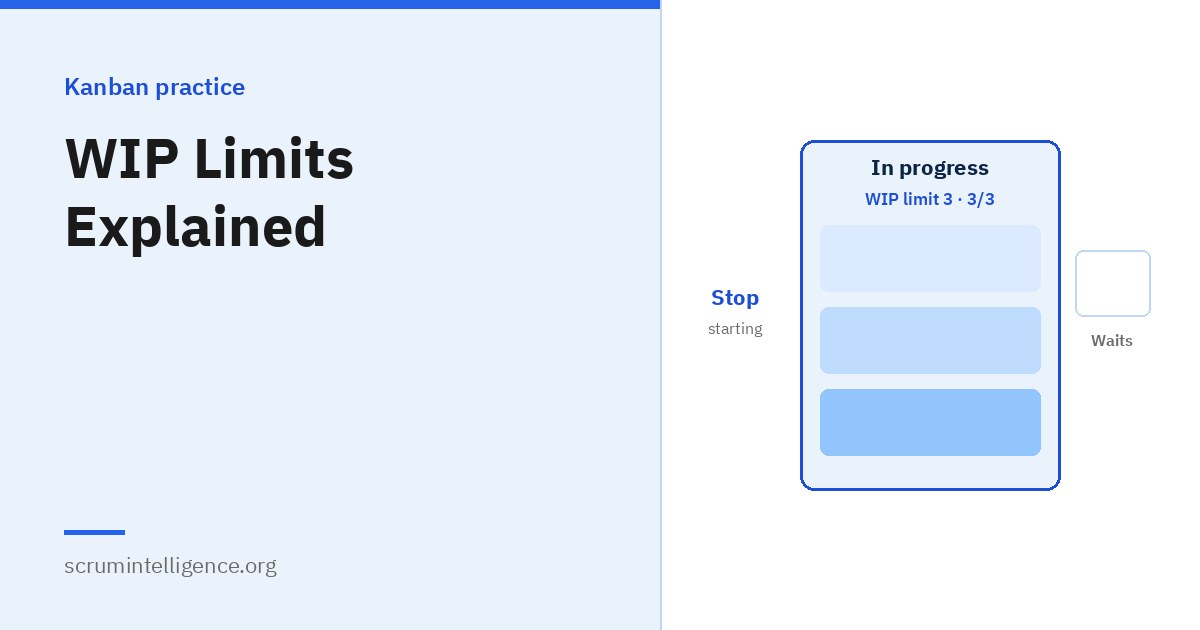
If there is one idea that makes Kanban work, it is limiting work in progress. Most teams do not suffer from too little work; they suffer from too much work started at once. Everything is in progress, little is finished, and everything takes longer than it should. WIP limits change that. This guide explains what WIP limits are, why they work, the different kinds of limits, how to set them and what to do when a limit is reached.
Key takeaways
- Work in progress (WIP) is work that has been started but not finished; a WIP limit is the maximum allowed at once.
- According to Little's Law, if throughput stays the same, lowering WIP lowers cycle time.
- WIP limits reduce context switching, expose bottlenecks and help teams finish work faster.
- Start with limits close to today's WIP, then lower them gradually.
- When a limit is reached, help finish existing work rather than starting something new.
What is WIP?
Work in progress is every item that has been started but not yet finished. On a Kanban board, it is usually the number of cards between the point where the team commits to an item and the point where it is delivered. For the wider context, see our complete Kanban guide.
A WIP limit is the maximum number of items allowed in progress at one time, either in a single column, across several columns or for the whole system. When the limit is reached, no new work is started until something moves on.
Why limiting WIP works
Little's Law
Little's Law, a result from queueing theory published by John Little in 1961, describes how three measures relate in a stable system:
Average cycle time = average work in progress ÷ average throughput
Consider an example. A team finishes, on average, 5 items a week and has 20 items in progress. Its average cycle time is 20 ÷ 5 = 4 weeks. If the team reduces its work in progress to 10 items while still finishing 5 a week, the average cycle time becomes 10 ÷ 5 = 2 weeks. Nothing about the team's speed changed; items simply spend less time waiting.
Little's Law assumes a reasonably stable system, so real results vary, but the direction is reliable: less work in progress means work finishes sooner.
Less context switching
Every time a person switches between tasks, time is lost refocusing. Gerald Weinberg, in his book Quality Software Management, estimated that each additional project a person works on at the same time costs a significant share of their productive time. Whatever the exact figure in your context, fewer parallel items means more time spent actually progressing work.
Shorter queues
Much of the time an item spends on a board is spent waiting. Limiting WIP reduces the number of items sitting in queues between stages.
Problems become visible
When a column hits its limit and work cannot move, the team notices immediately. Without limits, the same problem is hidden by people simply starting something else.
Better quality
People who focus on fewer items tend to make fewer mistakes, and problems are found sooner because items move through review and testing more quickly.
Types of WIP limits
| Type | How it works | When it helps |
|---|---|---|
| Per column | A maximum for each stage, such as Development 4 | The most common starting point |
| Across a group of columns | One limit covering several related stages | When stages are closely linked, such as development and review |
| Whole system (CONWIP) | One limit for everything between the commitment and delivery points | Simple to start with; controls total load |
| Per person | A maximum number of items each person works on | Reducing individual multitasking |
| Per class of service or swimlane | Separate limits, such as one expedite item at a time | Keeping urgent work from taking over |
CONWIP, short for constant work in progress, is a term from manufacturing research that describes keeping total WIP fixed across a whole system. Many teams combine types, for example column limits plus a strict limit on expedite items.
How to set your first WIP limits
- Measure today's WIP. Count how many items are in each column right now, and over the past few weeks if you can.
- Start at or just below that level. A sudden large cut can cause frustration and be abandoned quickly.
- Consider team size. Some teams use the number of people working on a stage as a reference, then adjust.
- Agree the policy. Make it explicit that when a limit is reached, no new work is pulled into that column.
- Lower limits gradually. Reduce one limit at a time and watch what happens to cycle time and throughput.
- Review regularly. Treat each change as an experiment and keep the ones that improve flow.
There is no perfect number. The right limit is one that keeps work flowing without people constantly waiting or constantly overloaded.
What to do when a limit is reached
A reached limit is not a problem; it is a signal. Instead of starting something new, people can:
- Help finish work already in progress, for example by reviewing or testing a colleague's item.
- Work on blocked items, helping remove whatever is stopping them.
- Help the stage downstream, where the bottleneck often is.
- Improve the process, such as automating a repetitive step.
- Learn or prepare, for example refining upcoming items.
The Kanban saying "stop starting, start finishing" captures the idea.
When can a limit be broken?
Sometimes a limit needs to be exceeded, such as when a critical outage must be fixed immediately. Rather than ignoring limits informally, agree an explicit policy. Many teams use an expedite lane limited to one item at a time, with an agreement that it can temporarily exceed a column limit. If the limit is broken often, that is a signal to discuss whether the limit or the process needs to change.
WIP limits and bottlenecks
WIP limits make bottlenecks visible. If items pile up waiting for review, and the review column keeps hitting its limit, the review stage is limiting the whole system. Eliyahu Goldratt's Theory of Constraints, popularised in his 1984 book The Goal, makes a related point: a system can only produce as fast as its constraint, so improvements elsewhere have little effect until the constraint is addressed. Kanban teams respond by helping the bottleneck stage, reducing the work that feeds into it or improving the stage itself.
How to measure the effect
- Cycle time: should fall as WIP falls.
- Throughput: should stay steady or improve; if it drops sharply, the limit may be too low.
- Work item age: fewer old items suggests work is moving.
- Cumulative flow diagram: narrowing bands for in-progress stages show WIP under control.
WIP limits in Scrum
Scrum does not require WIP limits, but many Scrum Teams add them to their Sprint board. A Sprint Backlog with ten items all "in progress" by day three is a warning sign: the team risks ending the Sprint with many items almost done and few that meet the Definition of Done. Limiting WIP within the Sprint helps the team finish items one after another and reach the Sprint Goal more reliably. See Kanban vs Scrum and Scrum artifacts explained for more.
Personal WIP limits
WIP limits work for individuals too. Limiting yourself to two or three tasks in progress at once, and finishing one before starting another, can make a busy week far more productive. It also makes it easier to say "not yet" to new requests, because you can show exactly what you are already working on.
Common objections, and honest answers
"People will sit idle."
When a limit is reached, there is almost always something useful to do: help finish other work, unblock items or improve the process. A little slack also helps flow, much like space on a motorway keeps traffic moving.
"Our work is too urgent to wait."
Urgent work can be handled with an explicit expedite policy. Lower WIP also means everything finishes sooner, so fewer items become urgent in the first place.
"Customers want everything started now."
Customers want things finished. Starting more work at once usually makes every item finish later.
A worked example: introducing WIP limits
As an illustration, here is how a team of five might introduce WIP limits over a few weeks:
- Week 1, observe: the team puts all work on the board and counts 18 items in progress, many of them started weeks ago. Nobody is sure which items are closest to done.
- Week 2, set a first limit: the team agrees a limit of 15 across all in-progress columns, slightly below today's level, and agrees not to start new work until the total falls below it.
- Week 3, finish old work: people help each other finish the oldest items. Several turn out to be blocked by questions nobody had asked, and are resolved in days.
- Week 4, lower the limit: with fewer items in progress, the team lowers the limit to 12 and starts recording cycle times.
- Weeks 5 to 8, refine: data shows items waiting in review, so the team adds a separate review limit and agrees to review before starting new work.
At each step the team changes one thing, watches the effect and decides what to try next.
Swarming
When a WIP limit is reached, one of the most effective responses is swarming: several team members work together on one item to finish it, rather than each person working alone on a separate item. Swarming can mean pairing, reviewing, testing or simply removing whatever is blocking the item. It builds shared knowledge, finishes work faster and reinforces the habit of finishing before starting. Some teams make swarming on blocked or ageing items an explicit policy.
WIP limits and flow efficiency
Flow efficiency compares the time an item is actively worked on with the total time it spends in progress:
Flow efficiency = active work time ÷ total cycle time
In many knowledge-work teams, items spend far more time waiting than being worked on: waiting for review, for a decision, for another team or simply for someone to pick them up. Teams that measure flow efficiency are often surprised by how low it is. Limiting WIP is one of the most direct ways to reduce waiting time, because fewer items compete for attention at each stage.
WIP limits beyond a single team
WIP limits can have an even greater effect at higher levels. When an organisation starts more projects or initiatives than it has capacity for, everything slows down, and teams are pulled between competing priorities. Some organisations use a portfolio-level board with a limit on how many large initiatives can be in progress at once. The same principle applies: finish before starting.
Talking to managers about WIP limits
Managers sometimes worry that WIP limits mean less work gets done. It helps to frame the conversation around outcomes they care about:
- Speed: explain Little's Law and show how lower WIP shortens delivery time.
- Predictability: fewer items in progress make forecasts more reliable.
- Visibility: limits expose bottlenecks that are otherwise hidden.
- Evidence: propose a time-boxed experiment and agree to review cycle time and throughput together afterwards.
Starting with a small experiment and real data is usually far more persuasive than theory.
Signs your WIP limits are working
- Cycle times are falling or becoming more consistent.
- Fewer items are sitting unfinished for long periods.
- Blocked items are noticed and resolved quickly.
- People help each other finish work rather than starting new items.
- The team can make more reliable forecasts.
WIP limits for different kinds of work
- Software development: limits on development and review stop code piling up unreviewed, which is one of the most common hidden queues.
- IT support: a limit on investigation, plus a strict limit on expedite items, keeps urgent incidents from swallowing all capacity.
- Content and marketing: a limit on drafts in progress stops a team writing many pieces that never reach publication.
- Recruitment: a limit on open hiring processes helps recruiters give each candidate proper attention and shortens time to hire.
WIP limits in remote teams
Remote teams can find WIP harder to see, because nobody walks past a physical board. A few habits help: make the digital board the single place where work is tracked, show WIP limits clearly at the top of each column, turn on warnings in the tool when a limit is exceeded if it supports them, and start each daily conversation by looking at columns that are at or over their limit.
How WIP limits change team habits
The biggest effect of WIP limits is often cultural. Teams that use them tend to shift from individual busyness to shared progress. People ask "what can I help finish?" instead of "what can I start?". Problems are raised earlier, because a blocked item now stops the flow instead of quietly waiting. And conversations with stakeholders become more honest, because the board shows exactly how much the team is already carrying.
Questions to ask when choosing a limit
- How many items are in this stage today, and how many have been there over recent weeks?
- How many people usually work on this stage?
- Where do items wait longest, and would a limit upstream reduce that wait?
- What should people do when the limit is reached?
- How will we know in a few weeks whether the limit helped?
How the Kanban Method and the Kanban Guide describe WIP
Both main sources of Kanban put WIP at the centre, with slightly different language. The Kanban Method lists limiting work in progress as one of its six core practices. The Kanban Guide by Daniel Vacanti and Yuval Yeret includes controlling WIP as part of a team's Definition of Workflow, and treats WIP as one of four key flow measures. Both agree on the essentials: WIP must be limited explicitly, and the limits should be respected and improved over time.
Common mistakes
- Limits that nobody respects. A limit that is regularly ignored teaches the team nothing.
- Limits set too high. If a limit is never reached, it has no effect.
- Cutting limits too sharply. Sudden large changes cause frustration and are often abandoned.
- Not counting blocked items. Blocked work still occupies capacity and should count toward the limit.
- Limits without measurement. Without cycle time data, you cannot tell whether a change helped.
Learn more
For board design, see how to set up a Kanban board. If you want to build and demonstrate Kanban skills, Kanban Management in Systems Plus covers flow, WIP limits and flow metrics; the exam is taken online on ExamVault by CertExpert with three attempts included, and the certificate and digital badge are valid for two years.
Frequently asked questions
What is a WIP limit?
The maximum number of work items allowed in progress at one time, in a column, a group of columns or the whole system.
Why are WIP limits important?
They reduce multitasking and waiting, expose bottlenecks and, according to Little's Law, shorten cycle time when throughput stays the same.
How do I choose a WIP limit?
Start at or slightly below your current WIP, then lower it gradually while watching cycle time and throughput.
What happens when a WIP limit is reached?
No new work is started in that column. People help finish existing work, unblock items or support the bottleneck stage.
Can WIP limits be broken?
Only through an agreed policy, such as an expedite lane for genuine emergencies.
What is Little's Law?
A queueing theory result: in a stable system, average cycle time equals average work in progress divided by average throughput.
Do Scrum Teams use WIP limits?
Scrum does not require them, but many Scrum Teams add WIP limits to their Sprint board to improve flow.
Should blocked items count toward the WIP limit?
Yes. Counting them keeps pressure on resolving the block rather than starting new work.