
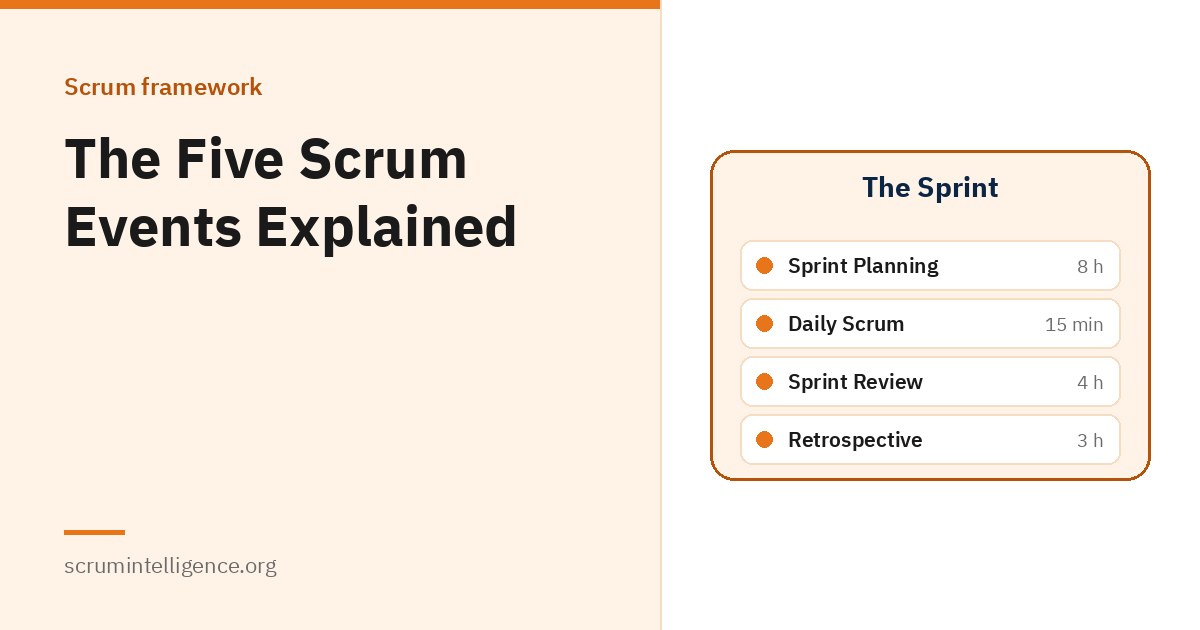
Scrum has five events: the Sprint, Sprint Planning, the Daily Scrum, the Sprint Review and the Sprint Retrospective. Each one exists for a specific reason, and each has a maximum length, called a timebox. Understanding why the events exist, and not just when they happen, is what separates teams that go through the motions from teams that actually improve. This guide explains all five, based on the Scrum Guide, with practical advice for running them well.
Key takeaways
- Scrum has five events, and the Sprint is the container for the other four.
- Every event is a formal opportunity to inspect and adapt something.
- Each event has a timebox, a maximum length it should not exceed.
- The Daily Scrum belongs to the Developers; the other events involve the whole Scrum Team.
- Product Backlog refinement is an ongoing activity, not a Scrum event.
Why Scrum has events
Scrum is based on empiricism: making decisions based on what is observed, rather than on detailed predictions. Empiricism depends on three things happening regularly, which the Scrum Guide calls the three pillars: transparency, inspection and adaptation. The events are where inspection and adaptation are built into the team's rhythm.
The Scrum Guide notes that the events are used to create regularity and to minimise the need for meetings not defined in Scrum. It also says they work best when held at the same time and place, which reduces complexity. In other words, the events are not extra meetings on top of the work. Used well, they replace a lot of the ad hoc meetings teams would otherwise need.
New to Scrum? Start with our complete Scrum Master guide for an overview of the whole framework.
Timeboxes at a glance
| Event | Who takes part | Maximum length (one-month Sprint) |
|---|---|---|
| Sprint | Whole Scrum Team | One month or less |
| Sprint Planning | Whole Scrum Team | 8 hours |
| Daily Scrum | Developers | 15 minutes |
| Sprint Review | Scrum Team and key stakeholders | 4 hours |
| Sprint Retrospective | Whole Scrum Team | 3 hours |
A timebox is a maximum, not a target. For shorter Sprints, Sprint Planning, the Sprint Review and the Retrospective are usually shorter. The Daily Scrum stays at 15 minutes regardless of Sprint length.
1. The Sprint
The Sprint is the heartbeat of Scrum. It is a fixed-length period of one month or less in which the team turns ideas into value. All the other events happen inside the Sprint, and a new Sprint starts immediately after the previous one ends.
Rules during the Sprint
According to the Scrum Guide, during the Sprint:
- No changes are made that would endanger the Sprint Goal
- Quality does not decrease
- The Product Backlog is refined as needed
- Scope may be clarified and renegotiated with the Product Owner as more is learned
This gives the team stability to focus, while still allowing it to learn and adjust the details of the work.
Why Sprints are short
The Scrum Guide explains that when a Sprint's horizon is too long, the Sprint Goal may become invalid, complexity may rise and risk may increase. Shorter Sprints create more learning cycles and limit the risk of cost and effort to a smaller time frame. Each Sprint can be thought of as a short project.
Most teams keep their Sprint length the same from Sprint to Sprint. A consistent length makes planning easier and gives the team a steady rhythm.
Forecasting progress
Teams often use practices such as burn-down charts, burn-up charts or cumulative flow diagrams to forecast progress. The Scrum Guide notes that these can be useful, but that they do not replace the importance of empiricism. In complex work, what will happen is uncertain, and only what has already happened can be used for forward-looking decisions.
Cancelling a Sprint
A Sprint can be cancelled if its Sprint Goal becomes obsolete, for example because the market or business direction has changed. Only the Product Owner has the authority to cancel a Sprint. Cancellation should be rare.
2. Sprint Planning
Sprint Planning starts the Sprint. The whole Scrum Team works out the plan for the Sprint together, and may invite other people to give advice. The Product Owner makes sure attendees are prepared to discuss the most important Product Backlog items and how they relate to the Product Goal. The event covers three topics.
Topic one: why is this Sprint valuable?
The Product Owner proposes how the product could increase its value and usefulness in this Sprint. The whole Scrum Team then collaborates to define a Sprint Goal that explains why the Sprint is valuable to stakeholders. The Sprint Goal must be finalised before the end of Sprint Planning.
Topic two: what can be Done this Sprint?
Through discussion with the Product Owner, the Developers select items from the Product Backlog to include in the Sprint. The Scrum Guide notes that selecting how much can be completed may be challenging, and that the more the Developers know about their past performance, their upcoming capacity and their Definition of Done, the more confident they will be in their forecasts.
Topic three: how will the chosen work get done?
For each selected item, the Developers plan the work needed to create an Increment that meets the Definition of Done. This is often done by breaking Product Backlog items into smaller work items of one day or less. How this is done is up to the Developers alone. No one else tells them how to turn Product Backlog items into Increments of value.
The outcome
The Sprint Goal, the selected Product Backlog items and the plan for delivering them together form the Sprint Backlog. Sprint Planning is timeboxed to a maximum of eight hours for a one-month Sprint. Our article on Scrum artifacts explains the Sprint Backlog in more detail.
Tips for better Sprint Planning
- Refine the Product Backlog before planning, so items are clear enough to discuss.
- Agree the Sprint Goal early; it makes choosing items much easier.
- Take account of holidays and other commitments when judging capacity.
- Avoid planning every hour. The plan will change as the team learns.
3. The Daily Scrum
The Daily Scrum is a 15-minute event for the Developers. Its purpose is to inspect progress toward the Sprint Goal and adapt the Sprint Backlog as needed, adjusting the upcoming planned work. It is held at the same time and place every working day of the Sprint.
The Developers can choose whatever structure and techniques they want, as long as the Daily Scrum focuses on progress toward the Sprint Goal and produces an actionable plan for the next day of work. Earlier versions of the Scrum Guide suggested three questions for the Daily Scrum; the 2020 edition removed them to give the Developers more freedom in how they run it.
According to the Scrum Guide, the Daily Scrum improves communication, identifies impediments, promotes quick decision-making and, as a result, removes the need for other meetings. It is not the only time the Developers can adjust their plan. They often meet throughout the day for more detailed discussions.
If the Product Owner or Scrum Master are actively working on items in the Sprint Backlog, they take part as Developers.
Common Daily Scrum problems
- Turning it into a status report to a manager or the Scrum Master
- Solving problems in detail during the 15 minutes, instead of afterwards with the people involved
- Talking about individual tasks without connecting them to the Sprint Goal
4. The Sprint Review
The purpose of the Sprint Review is to inspect the outcome of the Sprint and determine future adaptations. The Scrum Team presents the results of its work to key stakeholders, and progress toward the Product Goal is discussed.
During the event, the Scrum Team and stakeholders review what was accomplished in the Sprint and what has changed in their environment. Based on this, they work together on what to do next. The Product Backlog may also be adjusted to meet new opportunities.
The Scrum Guide is clear that the Sprint Review is a working session and should not be limited to a presentation. It is the second-to-last event of the Sprint and is timeboxed to a maximum of four hours for a one-month Sprint.
Tips for a useful Sprint Review
- Invite the people who actually use or depend on the product.
- Show working product, not slides about it.
- Leave plenty of time for discussion and questions.
- End with a shared view of what the team should work on next.
Note that the Sprint Review is not a gate for releasing value. An Increment can be delivered to stakeholders before the end of the Sprint.
5. The Sprint Retrospective
The purpose of the Sprint Retrospective is to plan ways to increase quality and effectiveness. The Scrum Team inspects how the last Sprint went with regard to individuals, interactions, processes, tools and its Definition of Done. It discusses what went well, what problems it encountered, and how those problems were or were not solved. Assumptions that led the team astray are identified and their origins explored.
The team then identifies the most helpful changes to improve its effectiveness. The most impactful improvements are addressed as soon as possible and may even be added to the Sprint Backlog for the next Sprint. The Sprint Retrospective concludes the Sprint and is timeboxed to a maximum of three hours for a one-month Sprint.
Our guide on how to run a Sprint Retrospective covers a simple structure, popular formats and how to make improvements stick.
What about backlog refinement?
Product Backlog refinement is the act of breaking down and adding detail to Product Backlog items, such as a description, order and size. It is an ongoing activity, not a Scrum event. Many teams set aside regular time for it, often a session or two each Sprint, because well-refined items make Sprint Planning faster and more reliable. The Developers who will do the work are responsible for sizing items, and the Product Owner may help them understand the trade-offs.
How the events fit together: a two-week Sprint example
The Scrum Guide sets the rules, not a calendar. As an illustration, a team with two-week Sprints might organise its events like this:
- Day 1, morning: Sprint Planning, ending with a Sprint Goal and a Sprint Backlog.
- Every working day: a 15-minute Daily Scrum at the same time.
- Middle of the Sprint: a refinement session to prepare items for the next Sprint.
- Last day: the Sprint Review with stakeholders, followed by the Sprint Retrospective.
- Next day: the next Sprint begins with Sprint Planning.
Because the Sprint is shorter than a month, the team's Planning, Review and Retrospective would usually take less than their maximum timeboxes.
Running Scrum events with remote teams
The Scrum Guide's rules apply in exactly the same way whether a team sits together or works remotely. What changes is how much care the events need. Some practices that help distributed teams:
- Use one shared, visible board. A digital board that everyone can see during the Daily Scrum, Planning and Review keeps the whole team working from the same picture.
- Keep cameras and voices in the conversation. In online events it is easy for a few people to dominate. Short rounds where each person speaks, or a few minutes of silent writing before discussion, help everyone contribute.
- Choose a Daily Scrum time that works for the Developers. If time zones make that hard, the team can agree the best overlap, or look at whether the team's setup needs to change.
- Break long events into clear segments. Sprint Planning and the Sprint Review are tiring online. A short break between topics keeps people focused.
- Prepare the Sprint Review environment in advance. Test that stakeholders can see the working product before the event starts.
Scrum events when several teams work on one product
When a product is too large for one team, several Scrum Teams may work on it together. The Scrum Guide says they should share the same Product Goal, Product Backlog and Product Owner. If several teams work on the same product, they must also define and follow the same Definition of Done, so their work can be combined into one usable Increment.
The Scrum Guide does not prescribe how the events should be coordinated across teams, so organisations handle this in different ways. Common practices include:
- Starting and ending Sprints on the same days, so the teams share a rhythm
- Holding a joint session during Sprint Planning to spot dependencies between teams
- Running a combined Sprint Review, so stakeholders see the whole product rather than separate pieces
- Adding a cross-team Retrospective from time to time, to improve how the teams work together
Coordinating several teams is a significant step up in complexity. Scrum Leader Plus covers leading Agile across multiple teams in more depth.
How to keep events short without losing value
Teams sometimes complain that Scrum has "too many meetings". Usually the problem is not the number of events but how they are run. A few habits make a big difference:
- Prepare before the event. A refined Product Backlog makes Sprint Planning faster; a tested environment makes the Sprint Review smoother.
- State the purpose at the start. Reminding everyone what the event is for keeps discussion on track.
- Take detailed problem-solving elsewhere. If a topic needs deep discussion, agree who will meet afterwards instead of holding everyone in the room.
- Respect the timebox. Ending on time builds trust that the events are worth attending.
- Review the events in the Retrospective. If an event feels wasteful, the team can inspect why and try something different next Sprint.
When the events work well, teams usually find they need far fewer other meetings, which is exactly what the Scrum Guide intends.
Common mistakes with Scrum events
- Changing Sprint length often. A steady rhythm makes planning and forecasting easier.
- Skipping events when busy. Each event exists to inspect and adapt; dropping one removes a chance to catch problems early.
- Letting events run over. Timeboxes keep events focused. If an event regularly overruns, that is a signal worth discussing.
- Treating the Sprint Review as a demo only. Without real feedback, the team loses the chance to adapt the Product Backlog.
- Holding extra status meetings. If the events are working, most extra meetings become unnecessary.
The Scrum Master's role in the events
The Scrum Master is accountable for making sure all Scrum events take place and are positive, productive and kept within their timebox. That does not mean running every event personally. The aim is for the team to get real value from each one. Read what does a Scrum Master do? for how this works event by event.
If you want to learn Scrum in depth, Scrum Master Plus (Associate) includes 16 hours of training and an online exam on ExamVault by CertExpert with three attempts, and the certificate and digital badge are valid for two years.
Frequently asked questions
What are the five Scrum events?
The Sprint, Sprint Planning, the Daily Scrum, the Sprint Review and the Sprint Retrospective. The Sprint is the container for the other four.
Is the Sprint itself an event?
Yes. The Sprint is a Scrum event in its own right, and it contains all the other events.
How long should a Sprint be?
One month or less. Most teams choose a length, often one to four weeks, and keep it consistent so they have a steady rhythm.
Who attends the Daily Scrum?
The Daily Scrum is for the Developers. If the Product Owner or Scrum Master are actively working on items in the Sprint Backlog, they take part as Developers.
Can a Sprint be cancelled?
Yes, if the Sprint Goal becomes obsolete. Only the Product Owner has the authority to cancel a Sprint.
What happens to unfinished work at the end of a Sprint?
Work that does not meet the Definition of Done is not part of the Increment. It returns to the Product Backlog, where the Product Owner can decide what to do with it.
Is backlog refinement a Scrum event?
No. Refinement is an ongoing activity that happens throughout the Sprint, but it is not one of the five Scrum events.
What is the difference between the Sprint Review and the Sprint Retrospective?
The Sprint Review looks at the product: what was done and what to do next, with stakeholders. The Sprint Retrospective looks at the team: how it worked and how to improve.